
AI Phone Receptionist for Local Businesses
Never miss a customer call again.
CallMelo answers your business phone with a natural-sounding AI receptionist — it handles routine questions, captures pickup orders and reservation or appointment requests, and sends every call to a simple dashboard. So you never lose a customer to a busy line or an after-hours ring.
14-day free trial, no charge today · Goes live in 10 minutes · Keep your current number · Cancel anytime



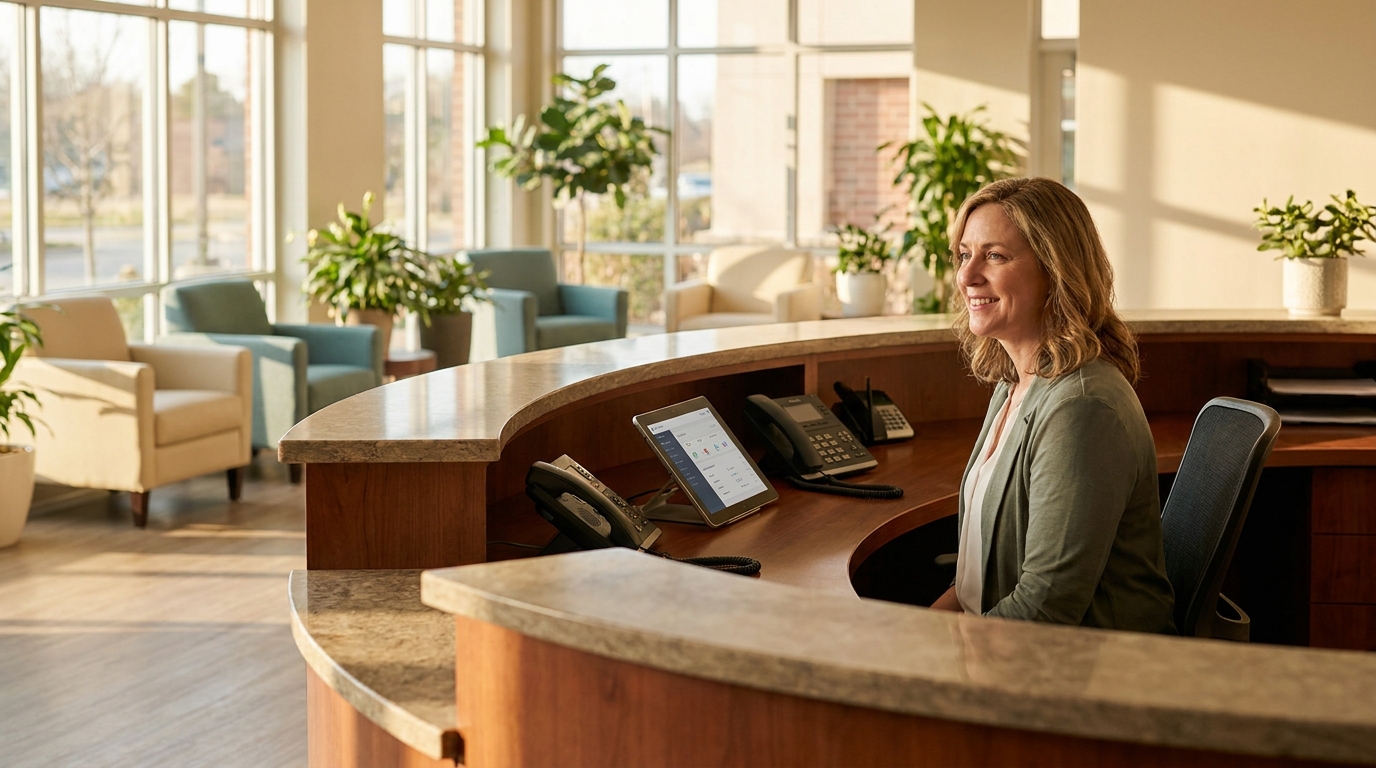


A ringing phone you can’t get to is a customer walking away
Your staff is busy serving the customer in front of them — so the phone rings out.
A missed call is often a missed order, a missed appointment, and a customer who calls your competitor next.
Even a full-time receptionist can not handles multiple calls simultaneously.
CallMelo answers every call, every time.The work shows up on your dashboard instead of slipping away.
Benefits
Everything a great receptionist does — CallMelo is your best hire ever
Never miss a call
Every call is answered on the first ring, 24/7 — lunch rush, after hours, weekends, and holidays.
No more busy line
Many callers at once? CallMelo answers them all in parallel. No hold music, no dropped customers.
Takes pickup orders
The receptionist captures order details and confirms them with the caller before sending the order to your dashboard.
Captures appointment requests
Callers ask for a table or a slot; CallMelo collects the details as a request your staff confirms.
Answers routine questions
Hours, location, parking, services, and the prices you’ve configured — handled accurately, from your setup.
Catches the follow-ups
Callbacks, special requests, and anything unusual become a clear handoff card so a person follows up.
Every call on record
Recording, transcript, summary, and status for each call — nothing slips away.
Honest, transparent billing
A clear monthly plan with included minutes, a live usage meter, and no surprise overage charges — ever.
Why CallMelo
Built to actually sound good — and to be easy
Live in 10 minutes
Set up your business, pick your AI number, optionally forward your existing number, run a test call, go live. No installs, no IT.
Genuinely low latency, high-quality voice
Real-time streaming voice with natural turn-taking and barge-in — callers can interrupt, and it responds right away. It sounds like a well-trained receptionist, not a phone tree.
Accurate intent, fluent conversation
It understands what the caller actually means — messy, real-world phrasing included — asks only what it needs, and never invents facts, prices, or promises.
Start free — 14 days, 100 minutes
Try the full receptionist free for 14 days with 100 minutes of real calls included — no charge today, cancel anytime. After that, plans start at $99/month for 1,000 minutes, with no hidden fees and no overage. Upgrade in one click.
How it works
From sign-up to your first answered call — in about 10 minutes
Sign in with Google
One click. No password to create.
Set up your business
Input your business information, our setup assistant helps with common questions, answer in plain language.
Choose your phone setup
Get a fresh AI phone number, choose a plan and Activate it. You can keep your current number and forward it to CallMelo AI receptionist.
Run a test call
Call your AI receptionist yourself. Ask a question, place a sample order, request an appointment. Tweak anything in your business settings.
Go live
Your receptionist starts answering real customers. Watch orders, requests, and callbacks land in your dashboard in real time.
Already have a business number? Keep it.
Forward your existing number to CallMelo — every call, or only when you’re busy or don’t answer so your staff still picks up when they can. It’s a quick code on your phone, and the exact steps for your carrier are right below.
Keep your number
Set up call forwarding in under a minute
Forwarding isn’t part of CallMelo — it’s a free feature your phone carrier already provides — but it’s how your existing number reaches your AI receptionist. Find your carrier, dial the code, and you’re forwarding.
Show carrier-by-carrier forwarding steps
Pick the option that fits how you work. Forward only missed & busy calls so your team still answers in person when they’re free — or forward every call and let CallMelo handle the phone entirely. Forward to your CallMelo AI number (you’ll find it in your dashboard).
Forward only missed & busy calls
Your staff keeps answering when they can; CallMelo catches the rest.
**61*1your CallMelo number#Turn off##61#**67*1your CallMelo number#Turn off##67#*92 1your CallMelo number #Turn off*93#*90 1your CallMelo number #Turn off*91#Forward every call
Every call goes straight to your AI receptionist, 24/7.
**21*1your CallMelo number#Turn off##21#*72 1your CallMelo number #Turn off*73#With no-answer forwarding, you choose the ring delay — the seconds your own phone rings before the call rolls to CallMelo. Pick 5, 10, 15, up to 30 seconds, and change it anytime your hours or staffing change (a quick 10 seconds at lunch, a longer 30 after hours).
Set delay**61*1your CallMelo number**seconds#Put the seconds where it’s highlighted — e.g. 20 rings your phone for 20 seconds first. A shorter delay sends callers to the AI sooner; a longer one gives your team more time to pick up.On a wireless line, dial the full code (your CallMelo number sits between the * and the #), then press call. On an AT&T landline, dial the code, enter your number, then press #. Either way, listen for the confirmation tone.
Live demos
Don’t take our word for it — call and hear it yourself
Pick the example closest to your business and make a real phone call right now. These are live CallMelo receptionists for virtual demo businesses. They’re not real businesses, but they’re real calls — so you can experience how it handles real-world phrasing and requests.
The Mission Table
New American restaurant · San Francisco
Virtual demo restaurant, not a real business.
+1 (628) 296-9464Try saying:
- “What are your hours and where are you?”
- “I’d like the burger and a salad for pickup at 6:30.”
- “Can I get a table for four on Friday at 7?”
Live AI receptionist · calls are not recorded
Lumière Salon & Spa
Luxury full-service salon · San Francisco
Virtual demo salon and spa, not a real business.
+1 (650) 910-2541Try saying:
- “Do you do balayage, and roughly how much?”
- “I’d like to request a cut and color this Saturday.”
- “Do you offer facials and massage?”
Live AI receptionist · calls are not recorded
Gulf Coast Plumbing
Independent plumber · Tampa Bay, FL
Virtual demo plumbing business, not a real business.
+1 (813) 686-9284Try saying:
- “My water heater is leaking — can someone come today?”
- “What’s your service-call fee?”
- “Please take my number and call me back.”
Live AI receptionist · calls are not recorded
Who it’s for
Made for the businesses where the phone still matters
Restaurants, cafés & bakeries
Pickup-order capture, reservation requests, and the questions you answer all day.
Salons & barbershops
Let customers request appointments by phone while your staff is with someone else.
Massage & spas
Answer service questions and capture appointment requests while treatment rooms are busy.
On-site & mobile services
Capture service-call details and callbacks while your team is out on the job.
Pricing
Simple, honest pricing
Every plan includes the full receptionist, your AI number, the dashboard, and call records. Plans differ only by included minutes. No overage — ever.
Start free — 14 days, 100 minutes included
Every plan begins with a 14-day free trial: the full receptionist, your own AI number, and up to 100 minutes of real calls — no charge today. Cancel anytime during the trial; otherwise it continues on the plan you pick below.
Starter
$99 / month
1,000 minutes / month
Getting started — a single location.
Growth
$269 / month
3,600 minutes / month
Active restaurants & salons.
Pro
$599 / month
10,000 minutes / month
High call-volume businesses.
Enterprise
Custom
Custom integrations · dedicated deployment
For operations that need custom integrations, a dedicated deployment, or advanced multi-location logic.
Start with a 14-day free trial — add a card, $0 today, with up to 100 trial minutes. It automatically continues on the plan you chose when the trial ends unless you cancel before then. After that, $99/month for a generous 1,000 minutes, no overage, no hidden fees, tax included. No long contract — cancel anytime; once a paid period begins we don’t offer refunds. Upgrade whenever you need; downgrades take effect next cycle. Secure payments by Stripe.
Live in production today.Every call answeredSub-1.5s median responseFully traceable, per call
Enterprise & multi-location
Outgrowing self-serve? Make CallMelo your front desk.
Already running an IVR or call center? CallMelo replaces the phone tree with a real conversation — and wires into the systems you already run, on infrastructure that’s yours alone. Start self-serve to hear the quality, then upgrade to Enterprise for custom integrations and a dedicated deployment.
Beyond IVR
Voice technology your phone tree can’t match
100% natural voice
No phone tree, no menu, no “press 1.” Callers just talk — and it talks back like a person.
Real-time, low latency
Streaming voice with barge-in: it answers the instant a caller stops, at human conversational pace.
High-accuracy understanding
It gets what callers actually mean — messy, real-world phrasing included — and asks only what it needs.
Integrations you can trust
Actions run through a trusted backend with strict permission boundaries — the model never touches your systems directly.
Integrates with your complex systems
Turn the receptionist into a front-desk agent connected to your POS and payments, CRM, scheduling and booking, ticketing, ERP, and internal or proprietary APIs. We design and build the integration for you. Because the agent already acts through a trusted backend with strict permission boundaries, connecting to your stack is an integration — not a rebuild.
Deployed on infrastructure that’s yours
Run CallMelo on a dedicated server, fully isolated from shared production — your data, your capacity, your uptime, decoupled from every other customer. Dedicated and regional cloud, isolated networking, and dedicated hardware where you need it, built to meet your security requirements.
- POS & Payments
- CRM
- Scheduling
- Booking
- Ticketing
- ERP
- Internal APIs
How it works
How an Enterprise engagement works
Discovery
A short call: your call volume, the systems you run, and what “great” looks like.
We build it
We design and build your integration and stand up a dedicated, isolated deployment. You don’t self-serve any of it.
Launch & test
We test against real call scenarios with you, then go live.
Support & SLA
Ongoing monitoring, named support, and an SLA sized to your operation.
Testimonials
Local owners, fewer missed calls
I forwarded my number, made a test call, and we were live before my coffee got cold.
Massage studio owner · Denver, CO
When every table is full, the phone used to just ring out. Now every caller gets answered and the pickup orders are already on the dashboard.
New American restaurant · San Francisco, CA
Clients call after-hours and CallMelo collects exactly what they want. I confirm the moment I’m free.
Luxury salon & spa · San Francisco, CA
My techs are under a sink all day — they can’t pick up. CallMelo gets the address, the problem, and a callback number.
Independent plumber · Tampa Bay, FL
People call our bakery at 9pm about custom cakes. Now there’s a clear note waiting for me every morning.
Bakery owner · Seattle, WA
Five calls at once used to mean four missed. Now they’re all answered at the same time.
Pizzeria owner · Chicago, IL
Clear monthly price, a usage meter, and no overage charges. I always know what I’m paying.
Tennis personal trainer · Austin, TX
We started with two locations to see if it was real. It was — so we connected it to our systems and rolled it out to the rest.
Multi-location restaurant group
A phone order now drops into our POS exactly like a counter order — same tickets, same flow. The team didn't have to learn anything new.
Regional restaurant group
Running it on our own dedicated instance was what made it an easy yes. Our data stays ours, and the integration was their team's job, not mine.
Multi-site clinic group
Every location answers the same way now, the new ones included. One brand-wide setup instead of forty.
Quick-service franchise
We run locations in two countries and it handles each in the local language. Adding the second market was a config change, not a project.
International hospitality group
FAQ
Questions, answered
Will callers know it’s AI?
Our voice is so real and customer could not tell — but we don’t deceive anyone. Our AI assistant reveals itself if customer asked.
Can I keep my current phone number?
Yes. Keep your number and forward it to CallMelo. You can forward every call, or only when you’re busy or don’t answer so your staff still picks up when they can. All major carriers support that and you can do it easily.
Can my staff still answer the phone?
Absolutely — use forward-when-busy/no-answer so your team answers in person when free, and CallMelo catches the rest.
Does it place orders or charge my customers?
It captures order details and confirms them with the caller, then sends them to your dashboard. No payments are taken during the call.
Does it book appointments automatically?
It captures appointment and reservation requests with the details; your staff confirms them. It never promises a booking it can’t make.
What if it can’t handle a call?
It knows its limits. It captures a callback or handoff so a person follows up. It never pretends to know something it doesn’t.
How long does setup take?
About 10 minutes depending on your setting — and an assistant bot helps that. No software, no installs.
How am I billed, and what about going over my minutes?
A simple monthly plan with included minutes and no overage billing. If you outgrow a tier, upgrade in one click.
Is there a free trial?
Yes — new accounts start with a 14-day free trial. You enter a card at signup but are not charged during the trial, and your AI receptionist goes live right away with up to 100 minutes of calls included. When the trial ends it automatically continues on the plan you chose (from $99/month) and your card is charged — unless you cancel before then, which you can do anytime during the trial at no charge. No hidden fees, tax included, no long contract. Once a paid period begins we don’t offer refunds, so cancel during the trial if it isn’t for you.
Is there a contract?
No — cancel anytime. Canceling releases the AI number at the end of your paid period.
Is my data private?
Yes. See our Privacy Policy for what we collect and how it’s used.
Can CallMelo integrate with our POS, CRM, or booking system?
Yes — on an Enterprise plan. We connect CallMelo to the systems you already run (POS and payments, CRM, scheduling and booking, ERP, ticketing, and internal APIs). We design and build the integration for you; it isn’t something you self-serve. Use “Talk to our team” to start.
Can we get a dedicated deployment, and where does our data live?
On Enterprise, CallMelo runs on a dedicated server isolated from shared production — your data, your capacity, your region. Dedicated and regional cloud, and dedicated hardware where you need it, are available and built to meet your security requirements.
Can we start small and upgrade later?
Yes — that’s the recommended path. Start one location on a standard plan, see it work on real calls, then upgrade to Enterprise for custom integrations and a dedicated deployment. The free trial is the easiest way to evaluate.
Do you support other languages and international operations?
Yes. The voice models speak 20+ languages, and adding a market is configuration, not a rewrite. International operators are explicitly in scope.
Stop letting the phone cost you customers
Try it free for 14 days. Sign in with Google, set up in about ten minutes, and your AI receptionist starts answering — no charge today.
No password · 14-day free trial · Goes live in ~10 minutes